

For agents
- Log in and head to Listings dashboard
-
Hit Create listing

-
Fill in the listing information
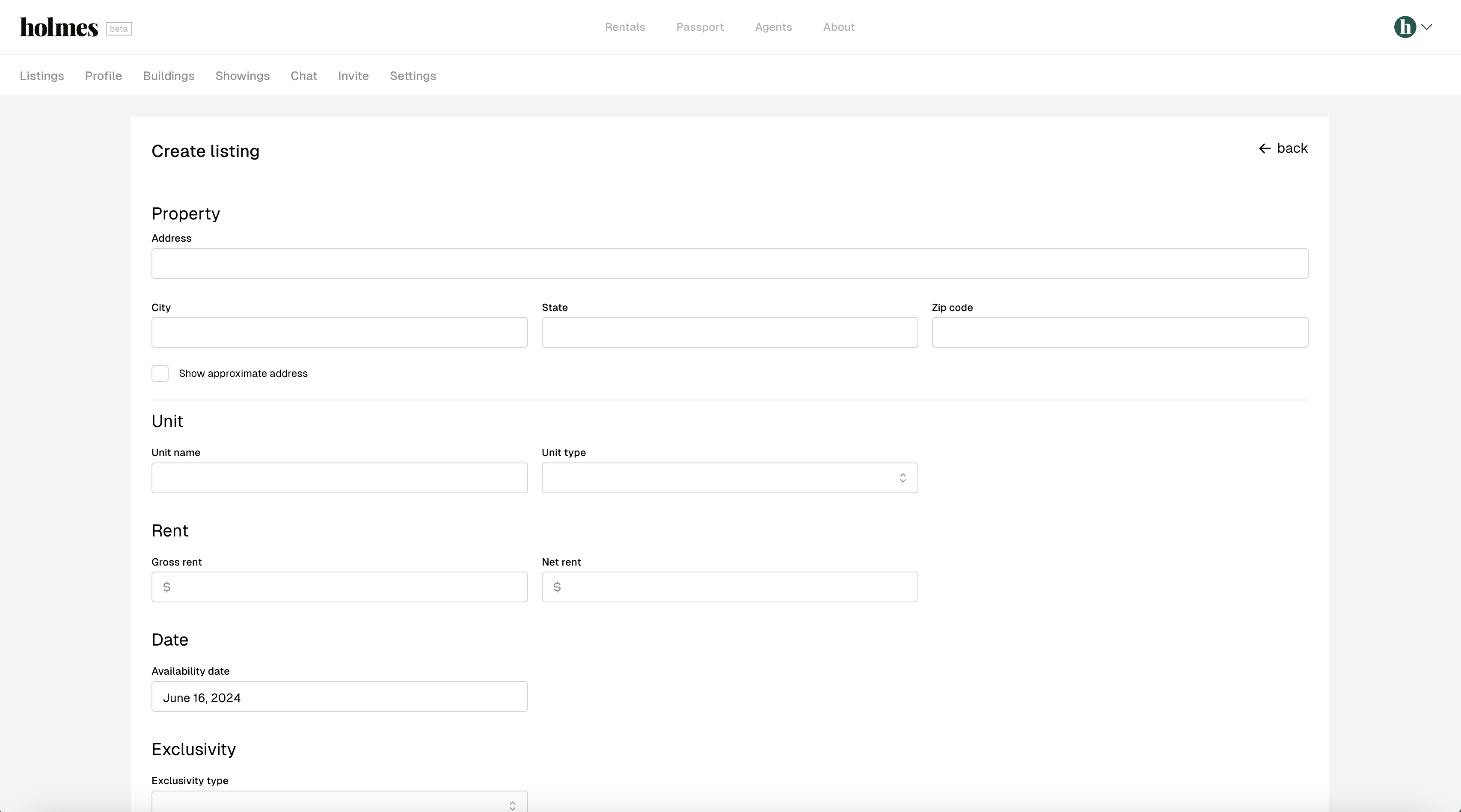
- The following fields are required:
- Address
- Street address
- City
- State
- Zip code
- Unit
- Name
- Type
- Rent
- Gross rent
- Net rent
- Date
- Availability date
- Exclusivity
- Exclusivity type
- Exclusivity document (if exclusive or co-exclusive)
- Exclusivity start (if exclusive or co-exclusive)
- Exclusivity end (if exclusive or co-exclusive)
- Commission
- Fee type
- Fee amount
- Layout
- Beds
- Baths
- Half baths
- Closets
- Total rooms
- Photos
- At least one photo is required
- Description
- Address
- The following fields are required:
- Hit Save